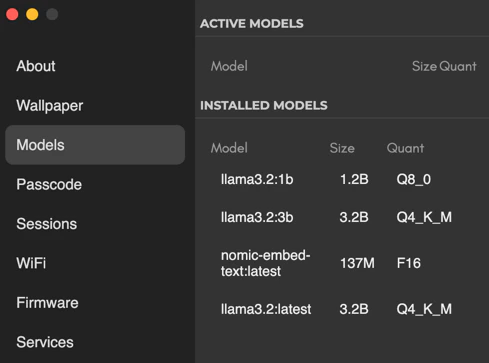
 The Models section in the Settings tab shows you which LLMs have been installed and which are running.
Running a Chat session automatically runs your default model. You can manually stop a model by clicking on the ellipsis.
To manually start a model, you can hover the ellipsis icon and click `Start`.
The Models section in the Settings tab shows you which LLMs have been installed and which are running.
Running a Chat session automatically runs your default model. You can manually stop a model by clicking on the ellipsis.
To manually start a model, you can hover the ellipsis icon and click `Start`.